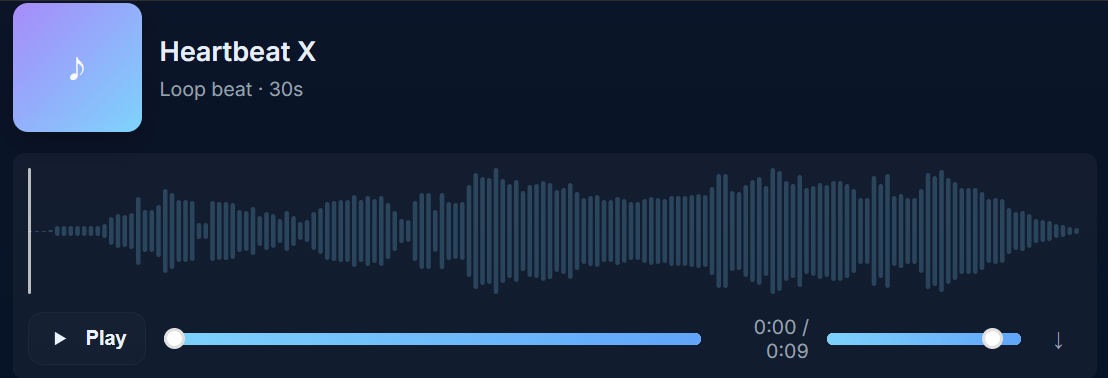
筆者のブログでは音を再生するとき、HTML5標準のオーディオプレイヤーを使ってますが、今回はwavesurfer.js で波形表示されるオーディオプレイヤーを作ってみました。
wavesurfer.js とは
wavesurfer.js はウェブブラウザ上で音声の波形表示と再生を行うオープンソースのJavaScript ライブラリです。
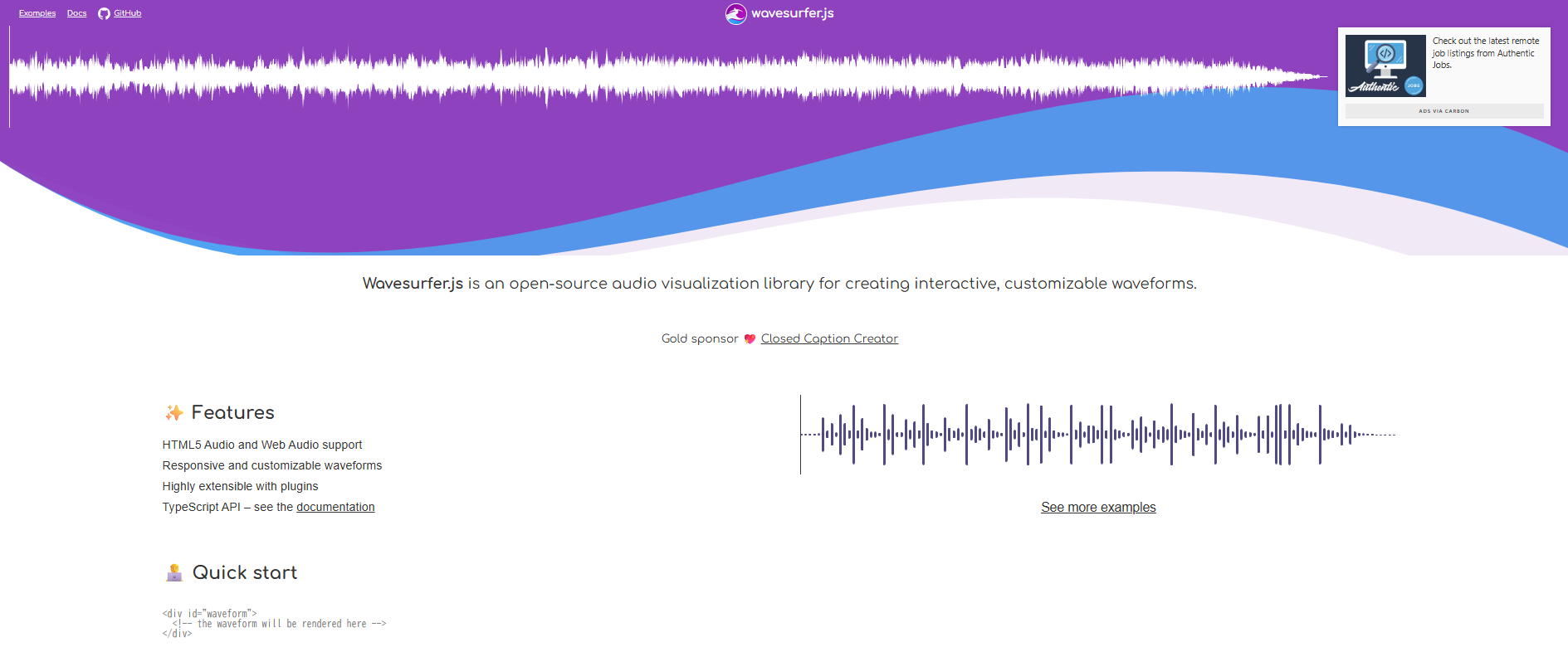
筆者の認識としては波形表示できるオーディオプレイヤーを簡単に作成できるツールです。
公式ページには参考例がいくつかあり、WEBページにレコーダーを作る例やスペクトログラムを表示する例などがあったりします。
Quick startを試す
公式のトップページにクイックスタートがあるので、それを試してみます。
クイックスタートのソースコードは以下です(編集可)。音声ファイルのURLだけ筆者のものに差し替えています。
● 波形の位置
<div id="waveform">
  <!-- the waveform will be rendered here -->
</div>
<div id="waveform">で波形表示する位置を決定しています。
● 波形生成
const wavesurfer = WaveSurfer.create({
  container: '#waveform',
  waveColor: '#4F4A85',
  progressColor: '#383351',
  url: 'https://dl.dropboxusercontent.com/scl/fi/lhmzkmxvy1pm4qlo8zzx8/heartbeatx.mp3?rlkey=89qc4wsuycnnb36z7qkmocitz&st=esx8m8z0&dl=0',
})WaveSurfer.createで"waveform"のIDに波形を作成しているっぽいです。また、ここで波形の色や再生ファイルの指定もできるみたい。
● クリックで再生
wavesurfer.on('interaction', () => {
  wavesurfer.play()
})
波形クリックで再生するプログラムの位置がここになります。
オーディオプレイヤー作成
クイックスタートを確認したところで、ブログで使えるオーディオプレイヤーを実装していきます。
たたき台
オシャレなものを作るのは大変そうでしたので、以下のたたき台を ChatGPT に作っていただきました。
たたき台は少しオシャレすぎるので、もう少し地味なものにするために以下変更します。
- サムネイルなしに変更
- 棒状波形→連続波形に変更
- ミュートボタン追加
- スマホ対応
- その他いろいろ
完成物
作成できたのが以下のオーディオプレイヤーです。
0:00 / 0:00
このブログで使用しているテーマのせいで、ボタンの位置が左右で揃わなかったりしたので、かなり苦戦しました。
一応、ソースコードも載せておきます。以下の3ファイルを同じディレクトリに入れて、htmlファイルをダブルクリックで確認できると思います。ただ、環境の違いでボタンがずれた位置になっていると思います。
audioplayer.html
<!DOCTYPE html>
<html lang="ja">
<head>
    <meta charset="UTF-8">
    <meta name="viewport" content="width=device-width, initial-scale=1.0">
    <title>WaveSurfer Player</title>
    <link rel="stylesheet" href="audioplayer.css">

    <!-- Google Fonts -->
    <link href="https://fonts.googleapis.com/css2?family=Inter:wght@300;400;600&display=swap" rel="stylesheet">

    <!-- WaveSurfer.js CDN -->
    <script src="https://unpkg.com/wavesurfer.js"></script>
</head>

<body>
<p>
<div class="ws-card">
    <div class="ws-top">
        <div class="ws-meta">
        <p class="ws-title">Heartbeat X</p>
        </div>
    </div>
    <div class="ws-wave" data-audio="https://dl.dropboxusercontent.com/scl/fi/lhmzkmxvy1pm4qlo8zzx8/heartbeatx.mp3?rlkey=89qc4wsuycnnb36z7qkmocitz&st=esx8m8z0&dl=0">
        <div class="waveform"></div>
        <div class="ws-controls">
            <button class="ws-play"><span class="play-icon-wrapper">
            <svg class="play-icon" viewBox="0 0 24 24" fill="currentColor">
            <path d="M8 5v14l11-7z"/>
            </svg>
            </span> <span class="play-label">Play</span></button>
            <!--<input class="ws-seek" type="range" min="0" max="100" value="0">-->
            <span class="ws-time"><span class="ws-current">0:00</span> / <span class="ws-duration">0:00</span></span>
            <div class="right-controls">
                <button class="btn-mute" title="Mute/Unmute" aria-label="Mute"><svg class="mute-icon" width="18" height="18" viewBox="0 0 24 24" fill="none">
                <path d="M3 10v4h4l5 5V5L7 10H3z" fill="currentColor"/>
                <path class="wave wave-1" d="M14.5 8.5c0.9 0.9 0.9 4.5 0 5.4" stroke="currentColor" stroke-width="1.5" stroke-linecap="round" fill="none"/>
                <path class="wave wave-2" d="M16.2 6.8c1.6 1.6 1.6 7.9 0 9.5" stroke="currentColor" stroke-width="1.5" stroke-linecap="round" fill="none"/>
                </svg>
                </button><input class="ws-volume" type="range" min="0" max="1" step="0.01" value="0.9"><button class="ws-download">⬇</button>
            </div>
        </div>
    </div>
</div>
</p>

<script src="audioplayer.js"></script>
</body>
</html>
audioplayer.css
/* ===== Basic Theme ===== */

:root {
    --bg:#0f1724;
    --accent1:#7dd3fc;
    --accent2:#60a5fa;
    --accent3:#a78bfa;
    --muted:#94a3b8;
    --white:#f2f5f9;
}

/* ===== Card ===== */
.ws-card {
    max-width: 760px;
    margin: 0 auto;
    background: linear-gradient(180deg, #1e293b, #0f1724);
    border-color: rgba(255,255,255,0.1);
    color: var(--white);
    border-radius: 14px;
    padding: 14px;
    box-shadow: 0 6px 24px rgba(2,6,23,0.6);
}

/* ===== Title & Thumbnail ===== */
.ws-title {
    font-size: 24px;
    font-weight: 600;
}

.ws-sub {
    color: var(--muted);
    font-size: 14px;
}

/* ===== Waveform Area ===== */

.waveform {
    height: 84px;
    margin-top: 15px;
}

/* ===== Controls ===== */

.ws-controls {
    display: flex;
    align-items: center;
    gap: 8px;
    margin-top: 12px;
    flex-wrap: wrap;
}

.ws-controls button {
    background: rgba(255,255,255,0.08);
    border: 1px solid rgba(255,255,255,0.1);
    color: var(--white);
    padding: 7px 10px;
    border-radius: 8px;
    cursor: pointer;
}

.ws-controls input[type=range] {
    cursor: pointer;
}

.ws-time {
  padding: 2px 8px;      /* 左右に少し広め → 楕円ぽくなる */
  background: #1e293b;   /* 背景色(好みで変更) */
  border-radius: 99px;   /* 楕円や丸を作る最重要ポイント */
  font-size: 14px;       /* 文字サイズは好みで */
  color: var(--white);   /* 文字色 */
}

#.right-controls {
#  margin-left: auto !important;
#}

/* スライダーのサイズを調整 */
.right-controls .ws-volume {
    width: 50px !important;
    margin-right: 10px;
    margin-bottom: 20px;
}

/* 右側コントロールを横並びに */
.right-controls {
  display: flex !important;
  align-items: center;
  gap: 8px;
 margin-top: 0px !important;
}

/* The Thorのボタン・スライダーのデフォルト幅100%を打ち消す */
.right-controls button,
.right-controls input[type=range] {
  display: inline-flex !important;
  width: auto !important;
  max-width: none !important;
  margin-bottom: 20px;
}

.vol-icon {
  color: var(--muted);
  width: 24px;
  height: 24px;
}

.mute-icon {
  width: 24px;
  height: 24px;
  display: block;
  #color: var(--muted);
}

.btn-mute {
    color: #555;
    margin-right: 10px;
    transition: color 0.2s;
}

/* ミュート時の色 */
.btn-mute.muted {
    color: var(--muted);
}

.ws-player .btn {
    all: unset;
    display: inline-flex;
    cursor: pointer;
}

.ws-play {
    display: flex !important;

    /* 垂直方向の中心に揃えることで、ボタンの上下幅が安定する */
    align-items: center;

    gap: 8px;

    /* ボタン全体の高さを固定する場合、この値が重要 */
    height: 36px;
    width: auto;
    padding: 0px 12px;
}

/* プレイ/ポーズアイコンのみを大きくする */
.play-icon-only {
/* 1. コンテナをFlexにし、内部のアイコンを中央に配置できるようにする */
    display: inline-flex;
    justify-content: center; /* 水平中央揃え */
    align-items: center;     /* 垂直中央揃え */

    /* 2. 最大のアイコンサイズを考慮し、固定のサイズを設定 */
    width: 24px;
    height: 24px;
}

/* 1. アイコンラッパーの基本スタイル */
.play-icon-wrapper svg {
    /* 通常時のサイズ(▶のサイズ) */
    width: 24px;
    height: 24px;
    display: block;
}

.play-label {
    /* 垂直方向の安定性を高めるため、line-heightを1にする */
    line-height: 1;
}

/* 1. 全てのFlexアイテム(ボタン、スライダー、時間表示)の垂直位置をリセット */
/* これにより、ブラウザ固有のスライダーのベースラインの影響を無効化します */
.ws-controls > * {
    margin-top: 0;
    margin-bottom: 0;
    /* 垂直方向の揃えを常に中央に保つ */
    align-self: center;
}

/* 2. 特に問題を起こしやすいスライダーに対して、より強力に揃えを強制 */
/* .ws-volumeはinput[type=range]なので、この設定が重要です */
.right-controls .ws-volume {
    /* スライダー要素の垂直方向の揃えを中央に強制 */
    align-self: center !important;
}

/* 画面幅が600px以下の場合に適用されるスタイル */
@media (max-width: 600px) {

    .ws-play {
        margin-left: 0px !important;
    }

    /* 4. コントロール全体の隙間を調整 (任意) */
    .ws-controls {
        gap: 4px;
    }

    /* 親要素とタグタイプ、クラスを全て指定し、詳細度を最大化 */
    .right-controls input.ws-volume[type="range"],
    .right-controls .ws-volume {
        display: none !important;
    }

    .play-label {
        display: none !important;
    }

    .right-controls button.ws-download {
        display: none !important;
    }
}
audioplayer.js
document.addEventListener('DOMContentLoaded', function () {

    const players = document.querySelectorAll('.ws-wave');

    players.forEach(player => {
        const audioUrl = player.dataset.audio;

        const container = player.querySelector('.waveform');
        const playBtn = player.querySelector('.ws-play');
        const playLabel = player.querySelector('.play-label');
        const seek = player.querySelector('.ws-seek');
        const cur = player.querySelector('.ws-current');
        const dur = player.querySelector('.ws-duration');
        const vol = player.querySelector('.ws-volume');
        const download = player.querySelector('.ws-download');

        // WaveSurfer instance
        const ws = WaveSurfer.create({
            container: container,
            waveColor: 'rgba(125, 212, 252, 0.9)',
            progressColor: 'rgba(87, 195, 245, 0.9)',
            height: 84,
            responsive: true,
        });

        ws.load(audioUrl);

        // Format seconds → m:ss
        const fmt = sec =>
            `${Math.floor(sec / 60)}:${Math.floor(sec % 60).toString().padStart(2, '0')}`;

        // Ready
        ws.on('ready', () => {
            //seek.max = ws.getDuration();
            dur.textContent = fmt(ws.getDuration());
        });

        // 新しい要素を取得
        const playIconWrapper = player.querySelector('.play-icon-wrapper');
        const playIconSVG = player.querySelector('.play-icon'); // SVG要素自体も取得

        // SVGパスの定義(例として一般的なSVGパスを使用)
        const ICON_PLAY_PATH = 'M8 5v14l11-7z'; // ▶のSVGパス
        const ICON_PAUSE_PATH = 'M6 19h4V5H6v14zm8-14v14h4V5h-4z'; // ⏸のSVGパス

        // Play / Pause の切り替えロジックを修正
        playBtn.addEventListener('click', () => ws.playPause());

        ws.on('play', () => {
            // アイコンを一時停止マーク (⏸) に変更
            playIconSVG.querySelector('path').setAttribute('d', ICON_PAUSE_PATH);
            playLabel.textContent = 'Pause';
        });

        ws.on('pause', () => {
            // アイコンを再生マーク (▶) に変更
            playIconSVG.querySelector('path').setAttribute('d', ICON_PLAY_PATH);
            playLabel.textContent = 'Play';
        });

        // Time update
        ws.on('audioprocess', time => {
            cur.textContent = fmt(time);
        });

        // ミュート状態の保存
        let isMuted = false;
        let lastVolume = parseFloat(vol.value); // 元の音量を保存(スライダーがある場合)

        const muteBtn = player.querySelector('.btn-mute');
        const muteIcon = muteBtn.querySelector('.mute-icon');

        // ミュート処理
        muteBtn.addEventListener('click', () => {
            isMuted = !isMuted;
            muteBtn.classList.toggle('muted', isMuted);

            if (isMuted) {
                lastVolume = ws.getVolume();
                ws.setVolume(0);
                vol.value = 0;
                muteIcon.innerHTML = `
                <path d="M3 10v4h4l5 5V5L7 10H3z" fill="currentColor"/>
                <line x1="19" y1="5" x2="15" y2="9" stroke="currentColor" stroke-width="2"/>
                <line x1="15" y1="5" x2="19" y2="9" stroke="currentColor" stroke-width="2"/>
                `;
            } else {
                ws.setVolume(lastVolume || 0.9);
                vol.value = lastVolume;
                muteIcon.innerHTML = `
                <path d="M3 10v4h4l5 5V5L7 10H3z" fill="currentColor"/>
                <path d="M14.5 8.5c0.9 0.9 0.9 4.5 0 5.4" stroke="currentColor" stroke-width="1.5" stroke-linecap="round" fill="none"/>
                <path d="M16.2 6.8c1.6 1.6 1.6 7.9 0 9.5" stroke="currentColor" stroke-width="1.5" stroke-linecap="round" fill="none"/>
              `;
            }
        });

        // Volume
        vol.addEventListener('input', () => {
            ws.setVolume(parseFloat(vol.value))
            if (isMuted) {
                isMuted = false;
                muteBtn.classList.toggle('muted', isMuted);
                muteIcon.innerHTML = `
                <path d="M3 10v4h4l5 5V5L7 10H3z" fill="currentColor"/>
                <path d="M14.5 8.5c0.9 0.9 0.9 4.5 0 5.4" stroke="currentColor" stroke-width="1.5" stroke-linecap="round" fill="none"/>
                <path d="M16.2 6.8c1.6 1.6 1.6 7.9 0 9.5" stroke="currentColor" stroke-width="1.5" stroke-linecap="round" fill="none"/>
                `;
            }
            else {
                if (vol.value==0){
                    isMuted = true;
                    muteBtn.classList.toggle('muted', isMuted);
                    muteIcon.innerHTML = `
                    <path d="M3 10v4h4l5 5V5L7 10H3z" fill="currentColor"/>
                    <line x1="19" y1="5" x2="15" y2="9" stroke="currentColor" stroke-width="2"/>
                    <line x1="15" y1="5" x2="19" y2="9" stroke="currentColor" stroke-width="2"/>
                    `;
                }
            }
        });

        // Download
        download.addEventListener('click', () => {
            const a = document.createElement('a');
            a.href = audioUrl;
            a.download = audioUrl.split('/').pop();
            a.click();
        });
    });
});
おわりに
本記事では、wavesurfer.js でオーディオプレイヤーを作成しました。今後は作成したオーディオプレイヤーをブログ上で使おうかなと思います。
オーディオプレイヤーに何か問題があればご連絡ください。
■参考ページ
本記事のサンプルコードは Wavesurfer.js(MIT License)の公式ページを参考にしています。
■使用した楽曲について
この記事で使用した楽曲は Pixabay で提供されているものを使用させていただきました。
Music: "Heartbeat's Symphony" by Nishastore — Pixabay
https://pixabay.com/ja/music/ポップ-heartbeatx27s-symphony-201469/